 syllogi
Features
Library
Browse and retag the audio files in your download directory.
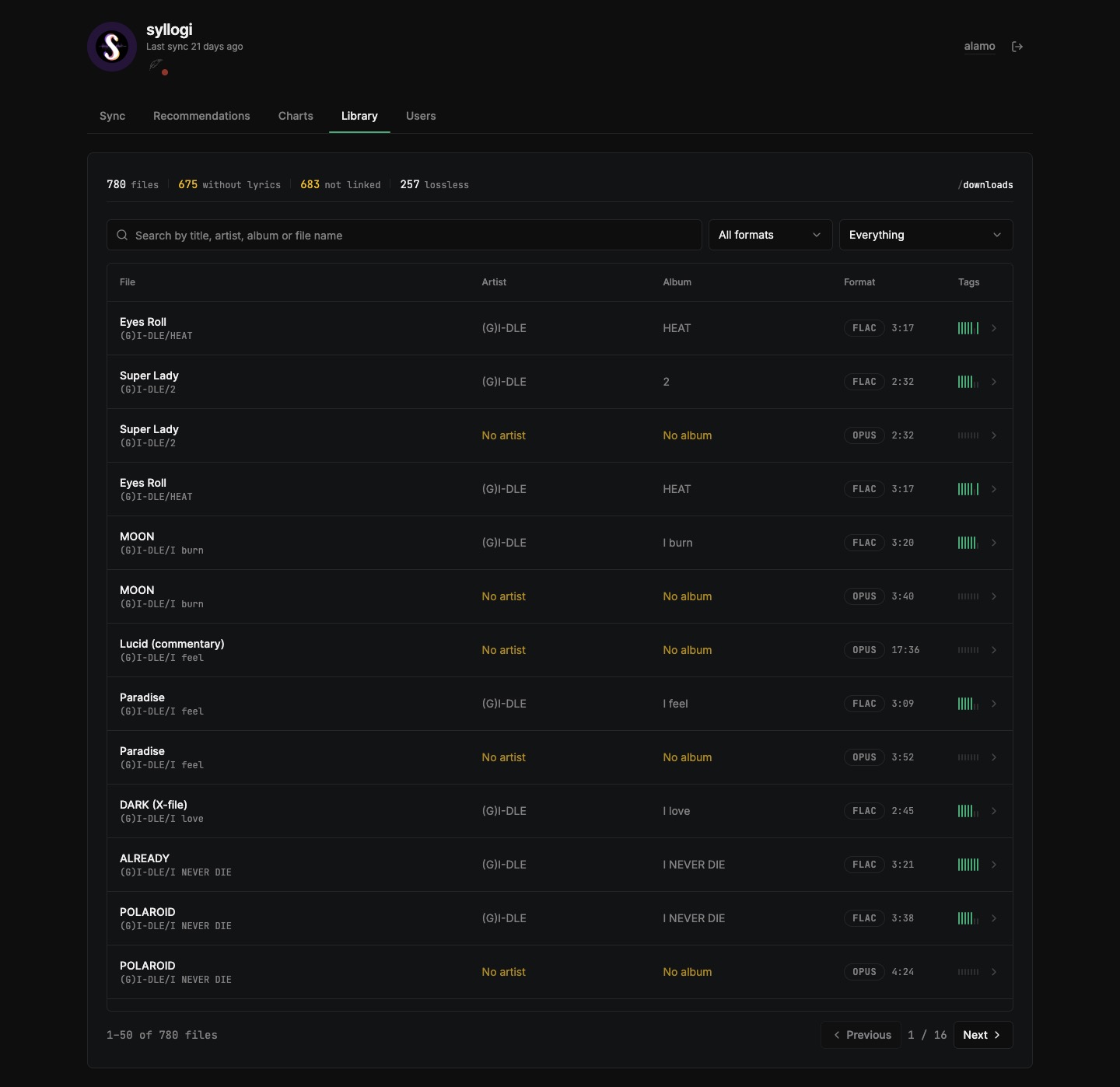
Browse and retag the audio files found in DOWNLOAD_DIR from the dashboard. This tab lists every .flac, .mp3 and .opus file with the tags it carries, searchable by file name, title, artist or album, and filterable by container or by the tags a file is missing.
The overall statistics show total, without-lyrics and unlinked counts, duplicates, empty folders, and lossless counts. Clicking on the statistics automatically filters the table.
Scanning
Browsing the library scans in the background; use Rescan to force a fresh scan.
Editable tags
Each row shows how many of the seven editable tags the file has, so gaps are visible at a glance:
- Title
- Artist
- Album
- Date
- Genre
- Lyrics
- Recording
Duplicates and empty folders
- Duplicates groups by artist + title (filename fallback). Delete removes from disk but never the last copy.
Keep-bestoption selects the largest file, then most-filled tags
- Empty folders lists outermost empty folders only, including non-audio leftovers. Deleting tracks triggers a provider library rescan.