 syllogi
Features
Playlist Sync
Mirror external Spotify or YouTube playlists into your music server.
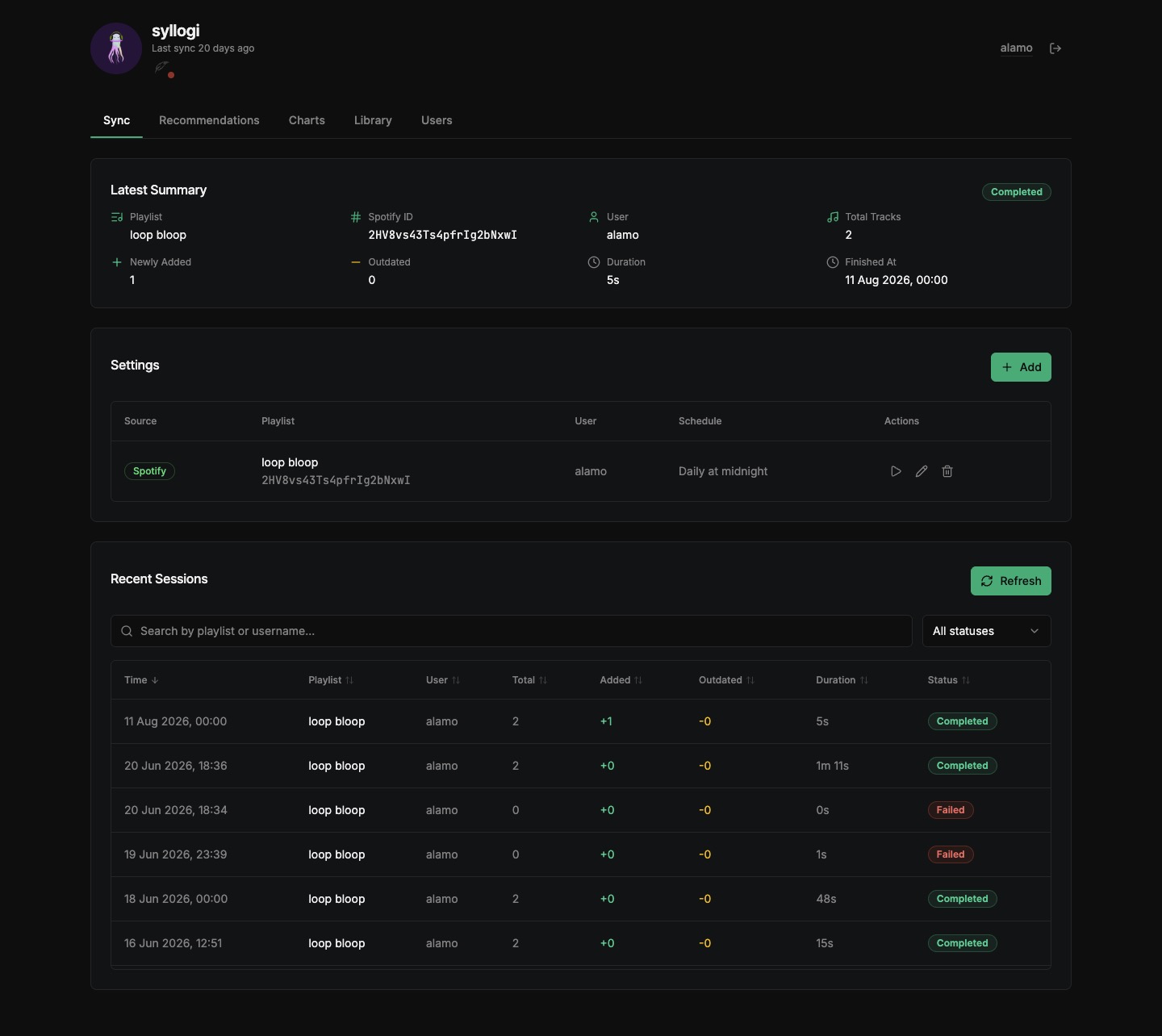
Mirrors external Spotify or YouTube playlists into your music server. Each sync run diffs the source playlist against your library and produces a per-run breakdown:
| Column | Description |
|---|---|
| Total | Total tracks in the source playlist |
| New | Tracks added to the music server playlist this run |
| Removed | Tracks removed because they left the source playlist |
| Missing | Tracks not found in the library and not downloaded |
| Downloaded | Tracks that were downloaded and added this run |
Each playlist requires a music server username (the exact username of the account that will own the playlist, created under the Users tab) and a cron schedule.
Settings
When adding or editing a sync:
- Provider:
spotifyoryoutube. - Playlist ID:
Provider Example ID youtubehttps://www.youtube.com/playlist?list=FL_uORFouaCUXomw-XDwqBuQFL_uORFouaCUXomw-XDwqBuQspotifyhttps://open.spotify.com/playlist/2XNMDkEDwV8DDxy5ktJoun2XNMDkEDwV8DDxy5ktJoun - Playlist Name: Target name created in your music server.
- Username: Must already exist as a music-server user.
- Visibility: Private or Public (pushed to the music server on save).
- Schedule: Simple presets (Every 15/30 min, hourly, every 6/12 hours, daily midnight / 6 AM, weekly Sunday midnight) or Custom cron. Empty schedule means Manual only - see Schedules.
- Enable sync: When off, the schedule is removed and the Play button is disabled.
- Enable download: When off, missing tracks stay Missing and are never sent to download providers.
Process
Each run matches tracks against the library (see Matching), optionally downloads missing tracks and waits for a rescan, then adds new songs and removes outdated ones.
Tracks that are missing from your library are handed to the download providers.